DataTrace University StarterIQ

StarterIQ Training University

StarterIQ provides you with a streamlined, intuitive way to search for and retrieve starters using address-based tools, advanced filters, interactive mapping, and intelligent recommendations. Through guided training, you'll learn how to locate properties, preview and purchase starters, apply powerful search criteria, and leverage recommended flags to identify the highest-rated and most relevant starter information.
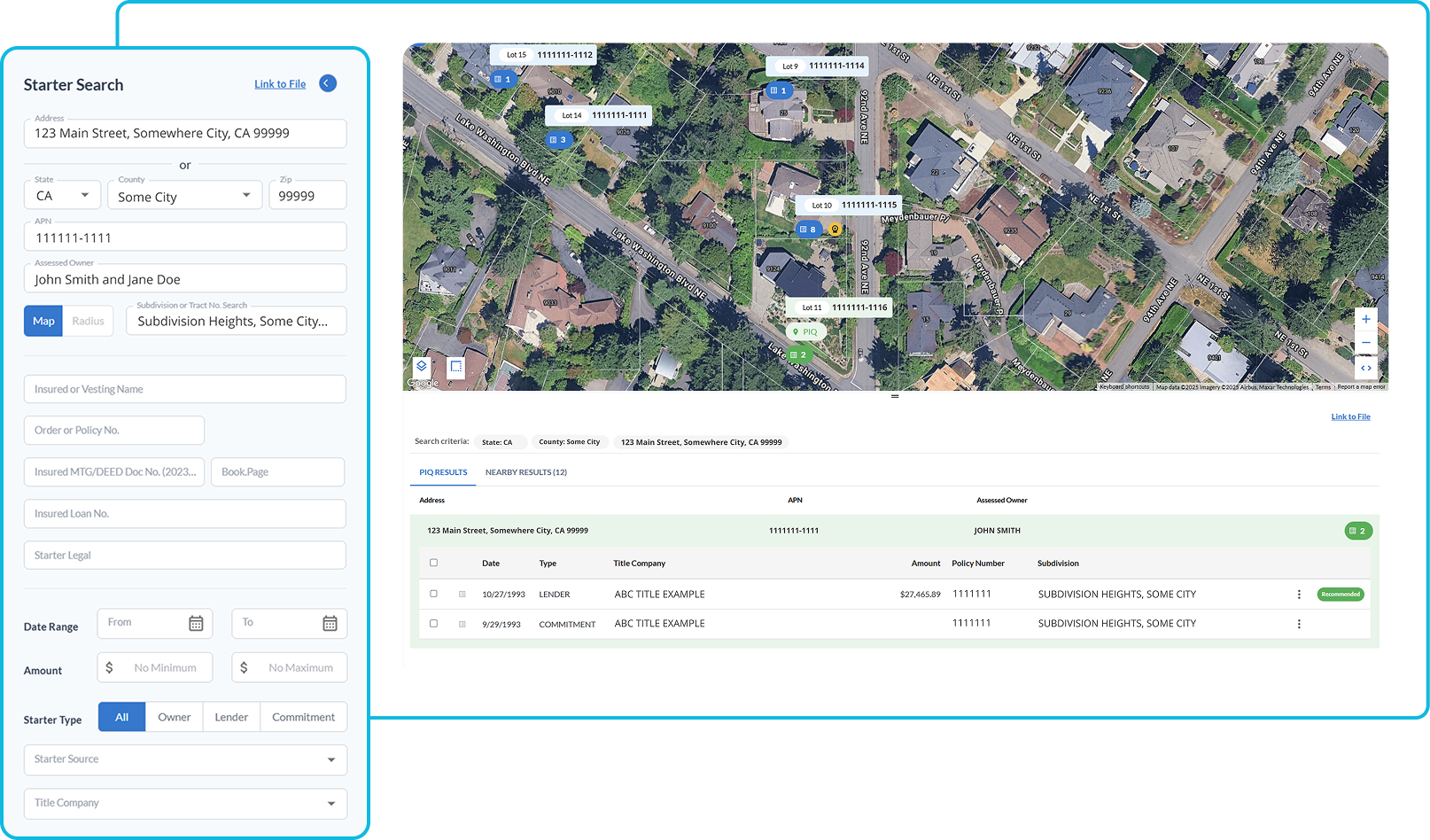
StarterIQ Basic Search

Introduction to StarterIQ basic search, a streamlined platform for searching and retrieving starters. The tutorial walks you through the layout of the interface—including the search panel, interactive map, and results/history section—and demonstrates how to locate a property using address, APN, owner name, or subdivision.
The tutorial shows how to preview starter details, choose between purchasing image-only or data-and-image options, and access purchased starter information.

StarterIQ Advanced Search Options

StarterIQ advance search tutorial highlights how you can locate starters using insured or vesting name, order or policy number, document number, loan number, or legal description elements like lot, block, and subdivision. The tutorial demonstrates how to apply filters such as date ranges, dollar amounts, and starter type, and how the built-in type-ahead functionality makes broad and precise searches fast and intuitive.
You will see how results link to the interactive map, how to preview and purchase starters and data, and how StarterIQ streamlines complex searches into a simple, efficient workflow.

StarterIQ Best Practices

This training video explains how StarterIQ uses recommended starters to help you quickly identify the highest-rated starter for a parcel, its adjacent properties, and its subdivision. It demonstrates how these intelligent recommendations—powered by detailed title data—appear in search results, on the map, and within subdivision-wide searches.
The tutorial also covers how StarterIQ’s map vs. radius search modes ensure relevant neighboring properties are returned, and how map overlays can assist with parcel identification.